

Basalt
React Native on the desktop: Linux, macOS and Windows
Build desktop apps for Mac, Windows and Linux with React Native. The same components you already write, running as real native windows, menus and controls, with no browser packed inside.
npx basalt initnpm run macos -- --buildEarly days. On npm at 0.2.x, and below 1.0 the API can still change in any release.
The same app, three times
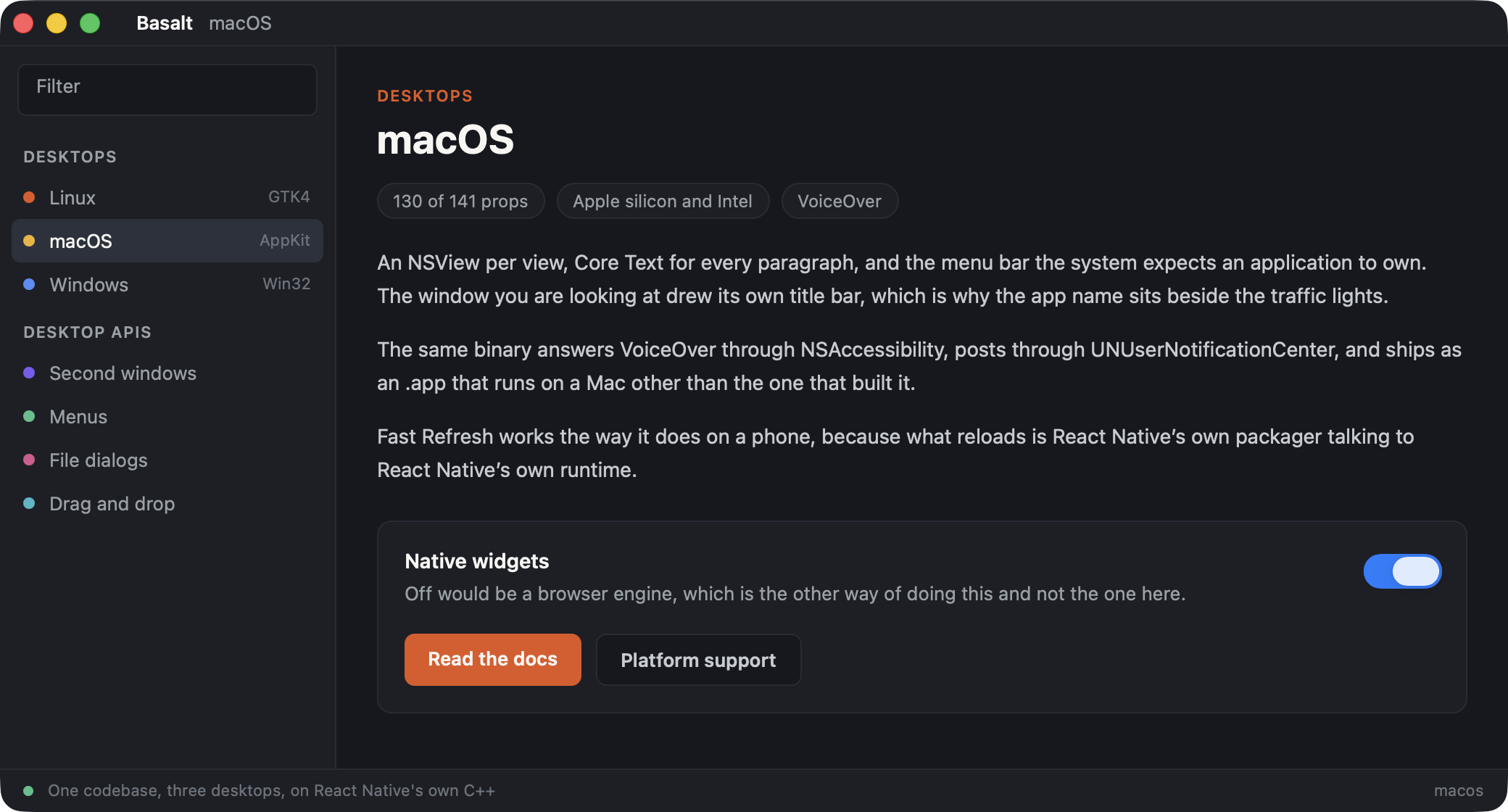
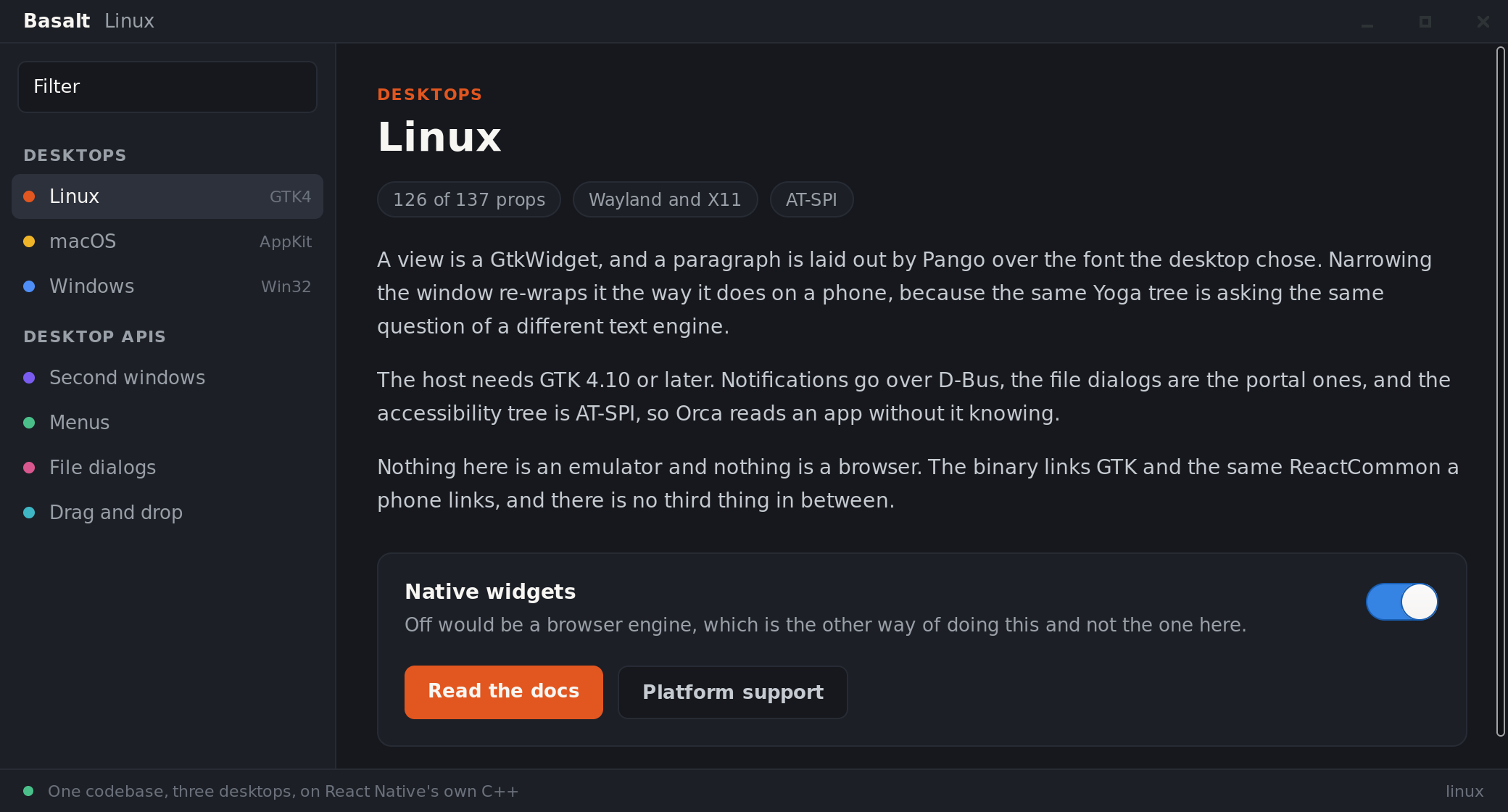
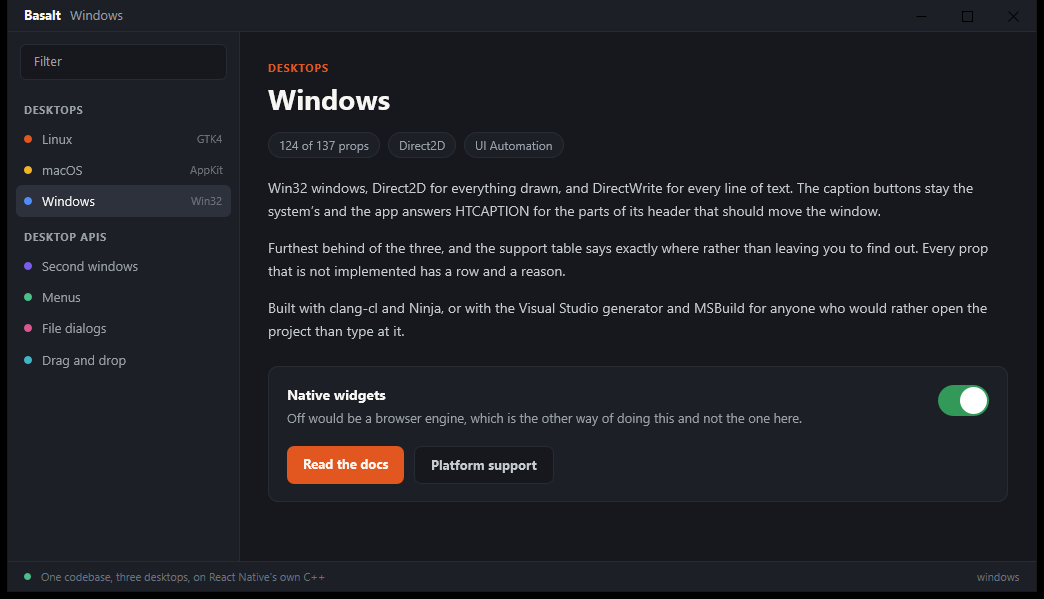
One codebase, no per-desktop branches, and no editing after the fact. The paragraphs wrap differently because Core Text, Pango and DirectWrite are three text engines measuring the same Yoga tree, and the caption buttons differ because each window belongs to its own desktop.
Native, not a browser
Every view is a real control, drawn by the desktop itself, and text is laid out by the system the way every other app on that machine does it. Nothing is a web page in disguise, and there is no browser shipped alongside your app.
The React Native you know
Not a rewrite that behaves almost the same. The same engine that runs your app on iOS and Android runs it here, so your components, your props and your layout do what they already do.
One command to add
npx basalt init adds a desktop to the app you already have, and app.json says which ones you want. There is no second project to maintain beside your own.
You write React Native
Your components come from react-native, exactly as they do on iOS and Android. Nothing to relearn, no HTML and no CSS: what you have already written behaves the way it already does.
basalt-core is the rest. A window somebody can move and resize. A menu bar. A file picker. The things a desktop has and a phone does not.
The APIs are the whole list, and it is short on purpose.
import {View, Text, Pressable} from 'react-native';import {Menu, useWindow} from 'basalt-core';export default function App() { const {bounds, center} = useWindow(); return ( <View style={{flex: 1, padding: 24}}> <Menu> <Menu.Submenu label="File"> <Menu.Item label="Open…" onClick={open} /> <Menu.Item role="close" /> </Menu.Submenu> </Menu> <Text> {bounds.width} × {bounds.height} </Text> <Pressable onPress={center}> <Text>Centre the window</Text> </Pressable> </View> );}Three desktops, one app
Each desktop has its own version of Basalt, built against the toolkit that desktop actually uses, so an app looks and behaves like it belongs there. How far along each one is, measured against React Native 0.88.1:
Linux
GTK4
- Text drawn by
- Pango
- Props supported
- 126 of 137, 92%
- Partly
- 10
- Missing
- 1
macOS
AppKit
- Text drawn by
- Core Text
- Props supported
- 130 of 141, 92%
- Partly
- 10
- Missing
- 1
Windows
Win32
- Text drawn by
- DirectWrite
- Props supported
- 124 of 137, 91%
- Partly
- 12
- Missing
- 1
Counted by a script rather than claimed. Every prop React Native has gets a row, a column per desktop, and a reason wherever one is missing. The table is the honest version of this.
And everything a phone never needed
React Native has no API for any of this, because a phone has none of it. Each one works on all three desktops, and in the few places where a desktop genuinely cannot do something, your app can ask instead of guessing.
The libraries you already use come too: react-navigation, Skia, Reanimated and gesture-handler all run, and your app can bring native code of its own.
How this differs
Electron and Tauri
They put a web page in a window: you write web UI and a browser draws it. Basalt gives you React Native components drawn as real native controls, with no HTML and no CSS.
react-native-windows and -macos
Separate projects on separate release schedules, one desktop each. Basalt is one project for all three, and it uses the same platform names, so a library that ships a Button.macos.js already works here.
Expo
Not an alternative, the common case. A stock Expo app runs, and basalt init sets up Metro for you when it finds one.
What to expect
Which React Native
A version is on this list once it has been built against and both test suites have run. One that has not is refused by the build rather than quietly allowed, so there is no range to guess at.
| React Native | Supported | Fast Refresh | What it is |
|---|---|---|---|
| 0.88tested on 0.88.1 | Works | Yes | What Expo SDK 58 installs, and what CI builds and tests every change against. |
| 0.87tested on 0.87.1 | Works | Yes | What CI built and tested every change against until 0.88. |
| 0.86tested on 0.86.3 | Works | No | What a current Expo app installs, which is why it is supported. |
| 0.83 - 0.85 | Untested | Never built or tested. Nothing suggests they would not work; nothing has checked. | |
| 0.82 and older | No | Tried, and stopped deliberately. It needs a second way of constructing the host and a websocket client React Native does not ship there. |
- The first build takes tens of minutes, because it compiles React Native's C++ from source. Every build after that is quick.
npx basalt-core doctorchecks you have what it needs, in seconds, before you spend that. - The three desktops are not equally finished. Linux and macOS are ahead of Windows, and the support table says exactly where.
- Nobody has yet taken an arbitrary native library and ported it from scratch. The popular ones above run, but what a new one costs is still unknown, and it is the biggest open question here.